> ## Documentation Index
> Fetch the complete documentation index at: https://mint-tsdocs.saulo.engineer/llms.txt
> Use this file to discover all available pages before exploring further.
# Features
> All the reasons why you should be using mint-tsdocs to document your library
export const Feature = ({icon, title, subtitle, children}) => {
if (!title || typeof title !== 'string') {
console.error('Feature: title prop is required and must be a string');
return null;
}
if (!subtitle || typeof subtitle !== 'string') {
console.error('Feature: subtitle prop is required and must be a string');
return null;
}
return
{}
{icon &&
}
{title}
{subtitle}
{}
{children &&
{children}
}
;
};
## What You Get
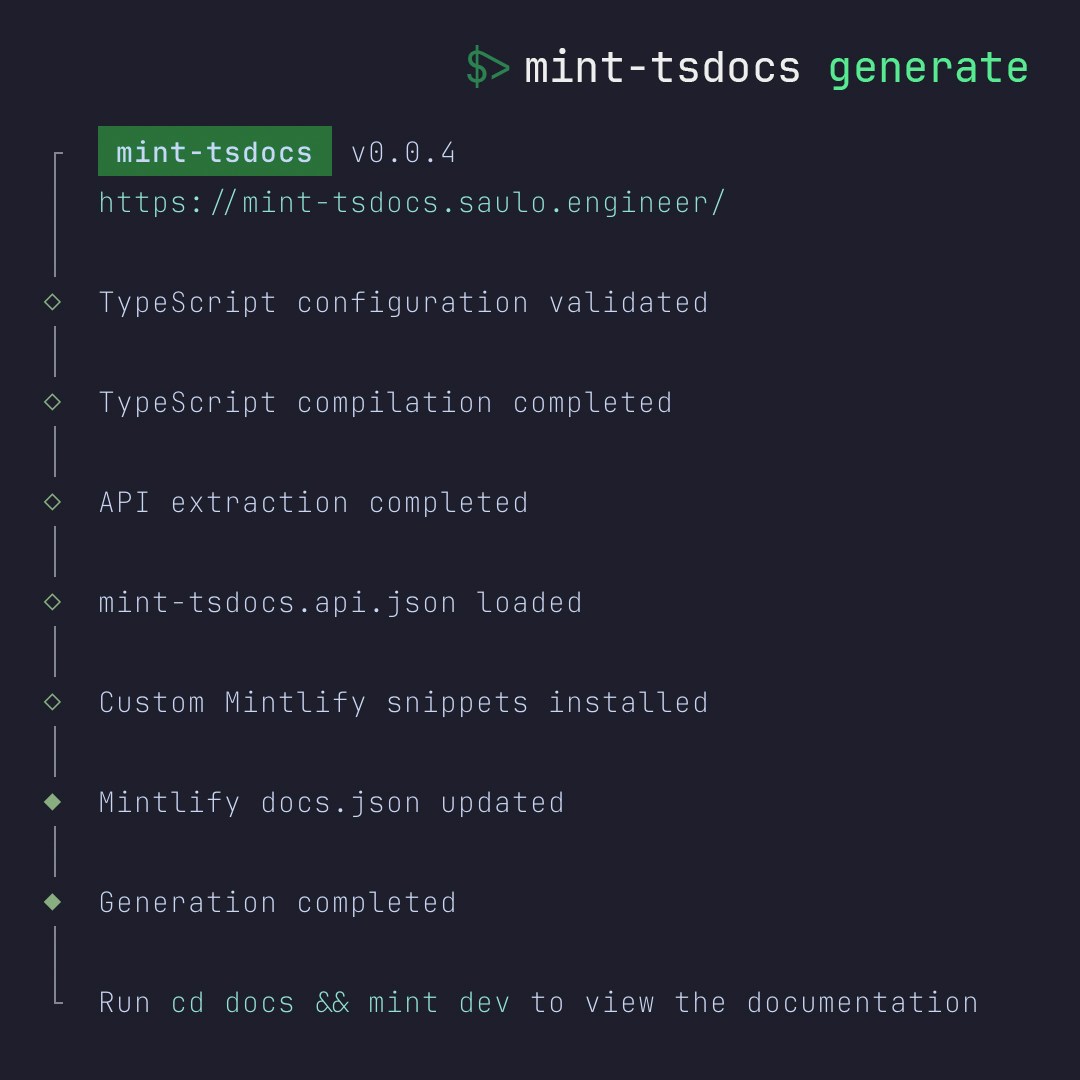
Extracts types, interfaces, classes, and functions from your TypeScript declarations and generates Mintlify MDX files with proper frontmatter, navigation, and components.
Automatically links referenced types and pages
Uses ``, ``, ``
Updates docs.json with generated pages
Exports TypeInfo data and component helpers
```bash theme={null}
mint-tsdocs generate
```
 ***
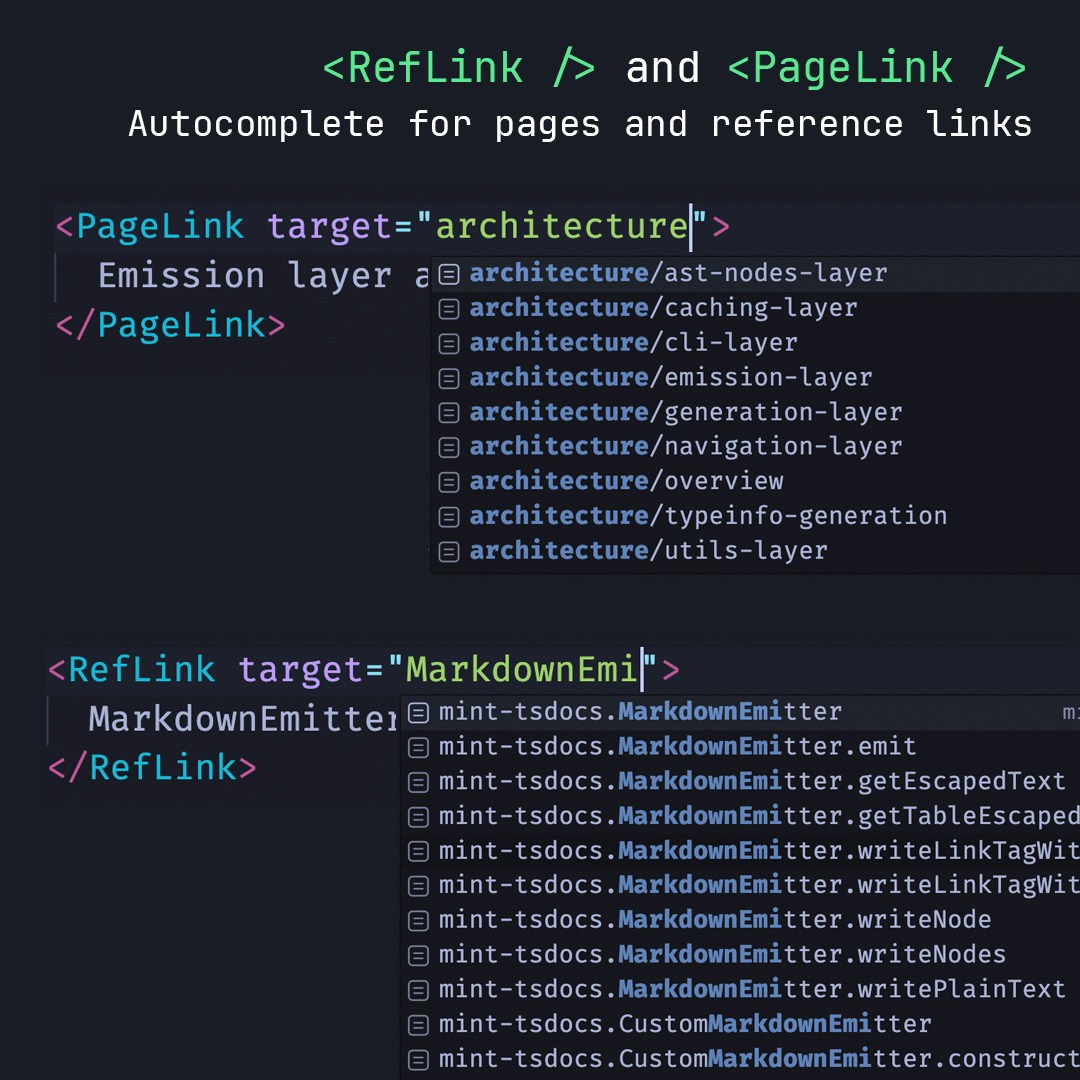
Auto-generates TypeScript union types for all API references and documentation pages. Get autocomplete as you type, compile errors for broken links.
`` with suggestions
Invalid links fail at compile, not in production
Visual indicators for broken links during development
ValidRefs.d.ts and ValidPages.d.ts created automatically
***
Auto-generates TypeScript union types for all API references and documentation pages. Get autocomplete as you type, compile errors for broken links.
`` with suggestions
Invalid links fail at compile, not in production
Visual indicators for broken links during development
ValidRefs.d.ts and ValidPages.d.ts created automatically
 ***
Displays nested object properties as an expandable tree with Mintlify-native components that match your project theme.
Extracts and displays deeply nested type structures
Auto-generated TypeInfo.jsx with data for every type
TypeInfo.d.ts for IDE IntelliSense
Uses native Mintlify components for consistent theming
***
## Quality Assurance
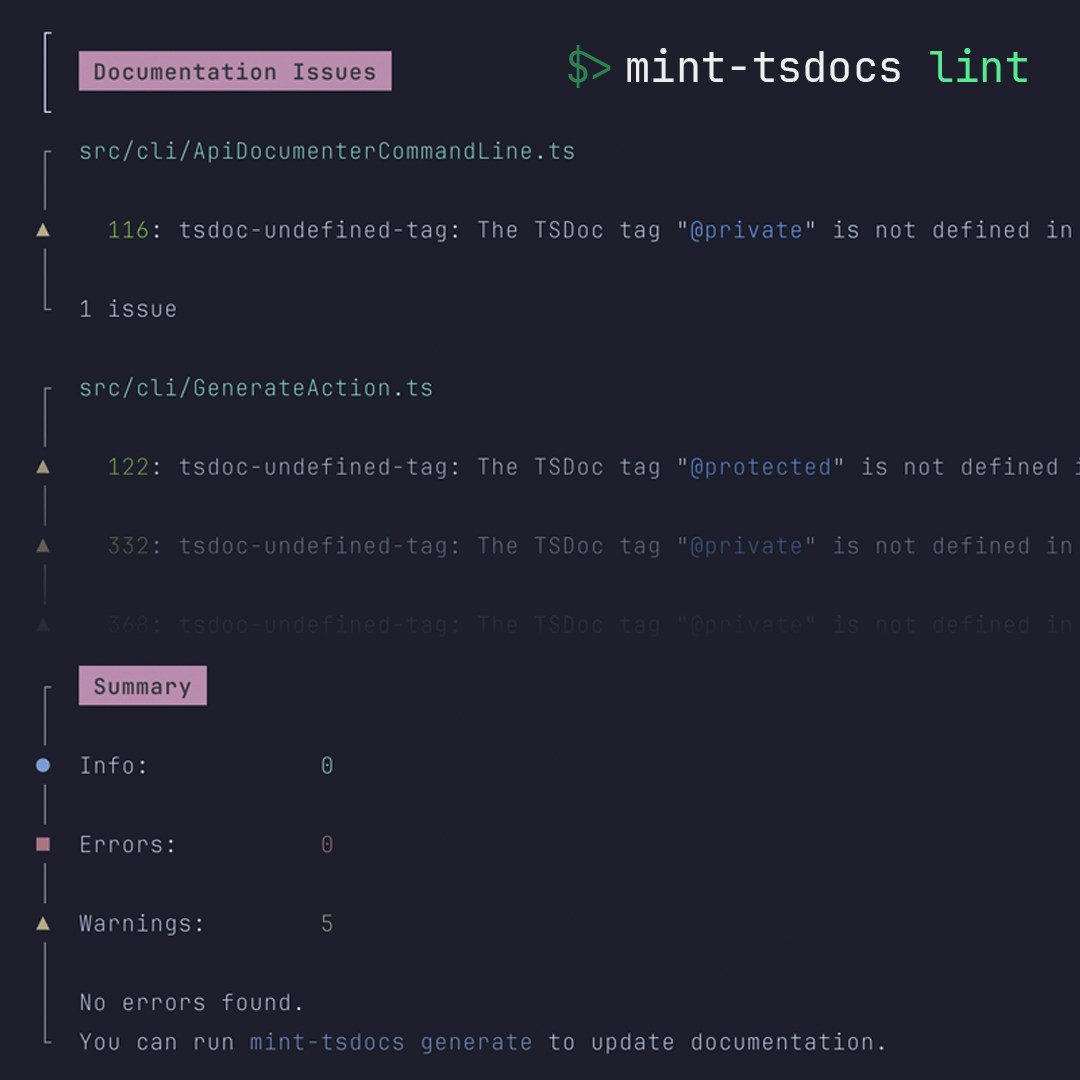
Validates TSDoc comments for common mistakes, missing descriptions, and broken references.
```bash theme={null}
mint-tsdocs lint
```
Checks for malformed or incomplete TSDoc
Finds broken @link and @see tags
***
Displays nested object properties as an expandable tree with Mintlify-native components that match your project theme.
Extracts and displays deeply nested type structures
Auto-generated TypeInfo.jsx with data for every type
TypeInfo.d.ts for IDE IntelliSense
Uses native Mintlify components for consistent theming
***
## Quality Assurance
Validates TSDoc comments for common mistakes, missing descriptions, and broken references.
```bash theme={null}
mint-tsdocs lint
```
Checks for malformed or incomplete TSDoc
Finds broken @link and @see tags
 ***
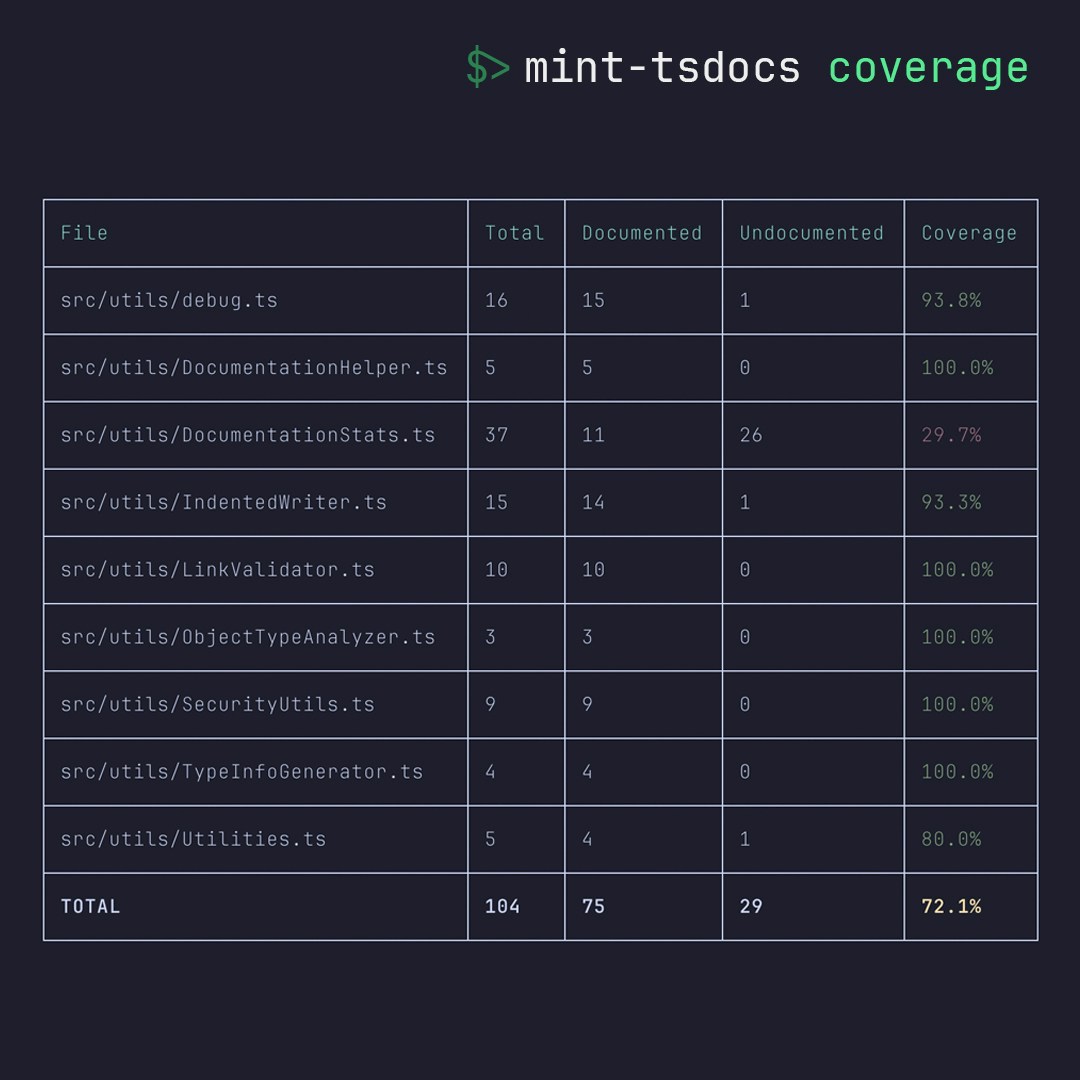
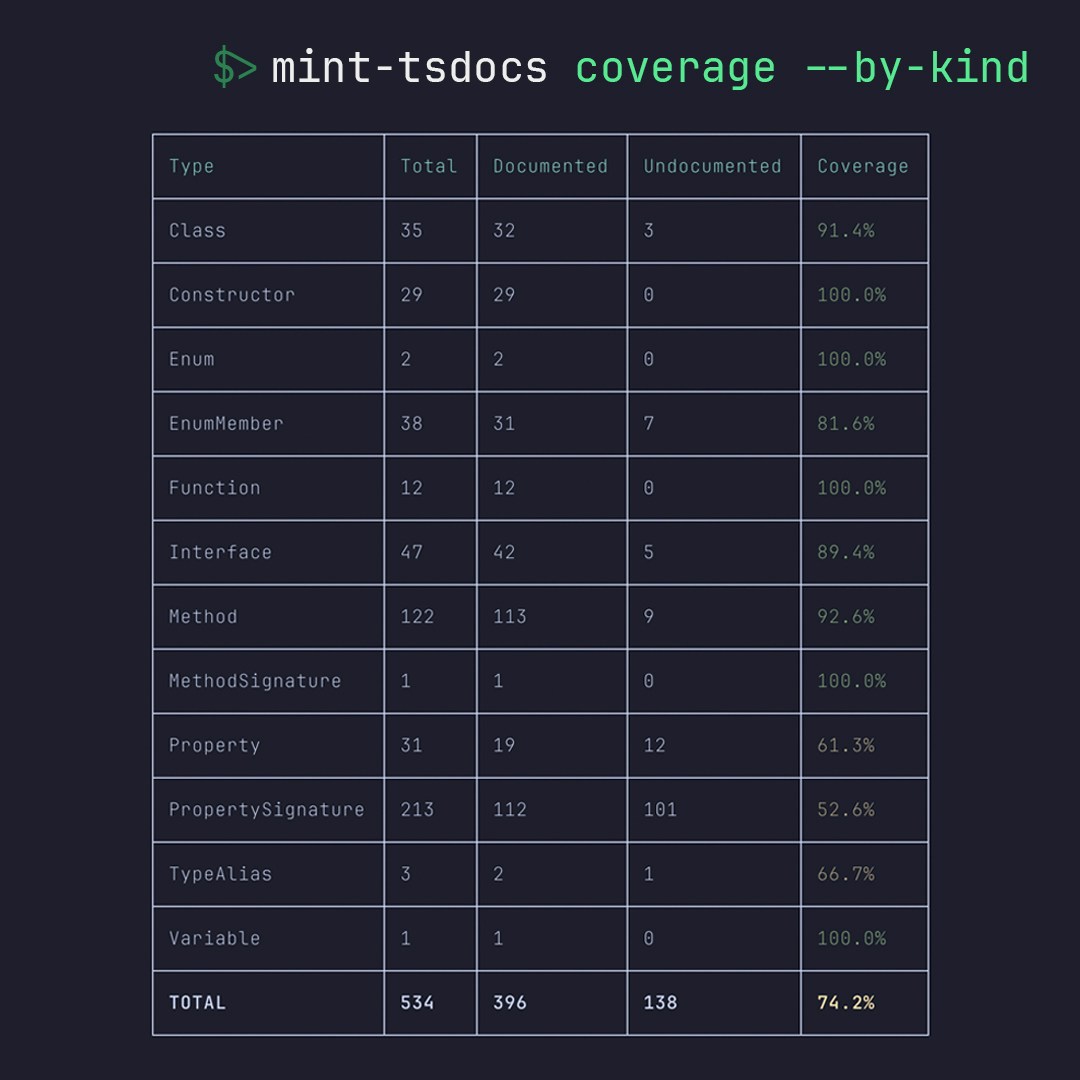
Reports documentation coverage by file, module, and API kind with configurable thresholds.
```bash theme={null}
mint-tsdocs coverage
```
See coverage for each source file
Group by package or namespace
Filter by class, interface, function, etc.
Set minimum coverage requirements
***
Reports documentation coverage by file, module, and API kind with configurable thresholds.
```bash theme={null}
mint-tsdocs coverage
```
See coverage for each source file
Group by package or namespace
Filter by class, interface, function, etc.
Set minimum coverage requirements
 ***
## Customization
Export Liquid templates for complete control over generated MDX, or just override styles with custom CSS.
```bash theme={null}
mint-tsdocs customize -t ./templates
```
Full control over MDX structure and layout
Extend default templates with blocks and overrides
Override component styles without touching templates
Access all properties, methods, parameters, examples
***
Additional Mintlify-compatible React components for enhanced documentation.
Bordered container with dark mode for code examples
Highlight features with icons, cards, and flexible layout
All components include TypeScript declarations for IDE support.
***
## Setup
Auto-detects TypeScript entry points, docs folder, and Mintlify configuration. Creates mint-tsdocs.config.json with sensible defaults.
```bash theme={null}
mint-tsdocs init
```
Finds TypeScript entry, docs.json, output folder
Optionally initializes Mintlify if not present
Creates mint-tsdocs.config.json with detected values
Adds "mint-tsdocs" script to package.json
***
## Ready to Try It?
5 minutes to first docs
Browse generated components
Star us on GitHub
***
## Customization
Export Liquid templates for complete control over generated MDX, or just override styles with custom CSS.
```bash theme={null}
mint-tsdocs customize -t ./templates
```
Full control over MDX structure and layout
Extend default templates with blocks and overrides
Override component styles without touching templates
Access all properties, methods, parameters, examples
***
Additional Mintlify-compatible React components for enhanced documentation.
Bordered container with dark mode for code examples
Highlight features with icons, cards, and flexible layout
All components include TypeScript declarations for IDE support.
***
## Setup
Auto-detects TypeScript entry points, docs folder, and Mintlify configuration. Creates mint-tsdocs.config.json with sensible defaults.
```bash theme={null}
mint-tsdocs init
```
Finds TypeScript entry, docs.json, output folder
Optionally initializes Mintlify if not present
Creates mint-tsdocs.config.json with detected values
Adds "mint-tsdocs" script to package.json
***
## Ready to Try It?
5 minutes to first docs
Browse generated components
Star us on GitHub